Home Pricing About Us Contact

Is the Front or Back Camera More Accurate to Real Life?

You open the front camera, smile, and tap the shutter. Then you flip to the back camera, hand the phone to a friend, and freeze — a stranger stares back. Same face. Same room. Same second. Two very different people. So which lens actually tells the truth?

Here is the short, evidence-based answer: the back (rear) camera captures a more optically accurate image of your face, because it uses a larger sensor, a sharper lens with a longer effective focal length, and saves your face un-mirrored — exactly the way other people see you every day. The front camera only feels more accurate because it mirrors the live preview to match the reflection you meet in the bathroom mirror.

Yet “accurate” and “flattering” are two different words. This guide breaks down the optics, the psychology, the sneaky camera software, and the exact shooting distance at which either camera stops distorting your features.

👉 Struggling with unflattering profile photos or LinkedIn shots? Book our professional headshot retouching service — natural correction, real-you results, zero plastic look.


Quick TL;DR — Front vs Back Camera Accuracy at a Glance

  • Most optically accurate to real life: the rear camera, held 3–6 feet away at eye level.
  • Feels more familiar to you: the front camera, because it mirrors your reflection during preview.
  • Biggest distortion factor: not the lens itself — the distance between your face and the camera.
  • The seminal 2018 Rutgers–Stanford study, published in JAMA Facial Plastic Surgery, found that selfies taken at 12 inches make the nasal base appear ~30% wider in men and ~29% wider in women, plus the nasal tip ~7% wider, compared with photos shot at 5 feet (Rutgers University).
  • Neither camera shows 100% truth. Every modern phone quietly applies HDR, tone mapping, and — on many Androids — automatic skin smoothing.

The Core Difference: Two Cameras, Two Different Jobs

Phone makers never designed the front and back cameras to be equal. They engineered the rear camera to photograph the world and the front camera to frame your face at arm’s length. Once you internalize that split, every visible difference makes sense.

The rear system chases light-gathering, sharpness, and dynamic range. The front system chases speed, framing convenience, and social-media friendliness. That mission gap explains why the same face looks so different across the two cameras.

What the back camera prioritizes:

  • Larger physical sensor — often 1/2-inch on mid-range and up to 1-inch on flagships
  • Multi-element optical stack with fewer edge aberrations
  • Longer effective focal length (24–28mm main, plus 50–120mm telephoto on many models)
  • Fast phase-detect or laser autofocus
  • Minimal default beautification

What the front camera prioritizes:

  • Compact form factor squeezed into a notch, hole-punch, or under-display cavity
  • Smaller sensor, typically 1/3.2″ to 1/2.7″
  • Wider field of view (22–26mm equivalent) to fit your face at arm’s length
  • Fixed or contrast-based focus
  • Heavier default noise reduction and skin smoothing on many Android phones
  • Automatic left-right mirroring in the live preview

If hardware fascinates you, our parts of a camera guide explains every internal component that shapes final image quality.


Why Your Face Looks Different in Each Camera — The Real Science

Focal length distortion comparison chart showing a face at different lens lengths

Most people blame “the lens” for weird-looking selfies. That is only half the truth. The bigger villain is forced perspective — the simple optical fact that anything closer to the lens looks disproportionately larger than anything farther away.

1. Distance, Not the Lens, Drives Most Distortion

When you hold your phone 10–12 inches from your face, your nose sits noticeably closer to the sensor than your ears. The camera cannot correct for that gap the way a human brain does with two eyes and depth perception. The result: an enlarged nose, wider cheeks, and shrunken ears.

Move the same phone 4–6 feet away, mount it on a shelf, and shoot with the rear camera — those proportions snap back to normal instantly. Distance dissolves perspective distortion faster than any filter can hide it.

2. Focal Length Still Matters (Just Less Than People Claim)

Portrait photographers overwhelmingly favor focal lengths between 85mm and 135mm because those lenses compress features naturally and mimic what the human eye perceives at conversational distance. Ultra-wide lenses (like most selfie cameras at 22–26mm equivalent) exaggerate whatever sits closest to the glass. Telephoto lenses do the opposite — they compress space and produce more balanced faces.

  • 17–28mm: heavy distortion, bulbous nose, shrunken ears
  • 50mm: closest match to natural human vision
  • 85–135mm: the classic portrait “sweet spot”
  • 200mm+: compressed, poster-style flattening

3. Sensor Size Changes the Whole Story

A bigger sensor collects more light per pixel, generates less noise, and preserves richer tonal information. Rear sensors are physically several times larger than front sensors on almost every phone, which is exactly why rear shots hold detail in shadows, render skin tones with more nuance, and rarely need aggressive noise smoothing.

For a broader look at how brands differentiate their sensors, browse our top 10 camera manufacturers ranked breakdown.


The Mirror Question: Why the Front Camera Feels More “Like You”

man studying her reflection in a mirror

Here is where psychology takes over from physics. Your front camera almost always mirrors the live preview so you can frame yourself the way you would in a bathroom mirror. That mirrored image is the face you have seen every single day of your life — brushing teeth, doing makeup, checking hair, staring back during video calls.

Social psychologist Robert Zajonc formalized this back in 1968 with the mere-exposure effect: repeated exposure to a stimulus increases preference for that stimulus. Follow-up work in image perception has confirmed people consistently prefer the mirror-reversed version of their own face over the un-reversed version their friends see (National Library of Medicine – PMC).

That is why the back camera can feel “wrong” even when it is optically correct. It shows you the version of yourself that everyone else already knows.

  • The mirror = the version you know (flipped)
  • The front camera preview = the version you know (also flipped, on purpose)
  • The saved selfie file (un-mirrored by default on iPhone) = closer to what others see
  • The back camera = what others see, at higher fidelity

📸 Need people-ready portraits that still look like the real you? Explore our professional photo retouching work — subtle, natural, never over-processed.


The Landmark Study: What Rutgers–Stanford Actually Proved

In 2018, facial plastic surgeon Dr. Boris Paskhover of Rutgers New Jersey Medical School teamed up with Stanford computer scientist Ohad Fried and published a mathematical model in JAMA Facial Plastic Surgery. Their goal was straightforward: quantify how selfie distance warps the nose.

Their model produced three headline findings:

  • Selfies shot at 12 inches made the nasal base appear 30% wider in men and 29% wider in women compared with photos taken at 5 feet (PMC / NIH).
  • The nasal tip appeared ~7% wider at the same short distance.
  • At 5 feet, the standard portrait distance, distortion effectively disappears.

Paskhover memorably called the smartphone selfie “a portable funhouse mirror.” In a follow-up interview with Live Science, he added that a person would need “arms about five feet long” to shoot a distortion-free selfie with the front camera alone (Smithsonian Magazine).

That single paper reshaped how surgeons counsel patients who arrive holding selfies as evidence of “problem” features. It also explains why the same person can look fine in a friend’s photo and completely different in their own mirror-selfie.

Photographer taking a portrait with a DSLR at a proper distance

Front Camera vs Back Camera — Side-by-Side Comparison

FactorFront (Selfie) CameraBack (Rear) Camera
Sensor sizeSmall (typically 1/3.2″–1/2.7″)Larger (up to 1 inch on flagships)
Effective focal length~22–26mm (wide)24–28mm main + 50–120mm telephoto
AutofocusOften fixed or contrast-basedPhase-detect or laser AF
Mirroring in previewYes (default)No
Default beautificationFrequently on (many Androids)Usually off
Low-light performanceWeaker, more smoothingStronger, cleaner
Distortion at arm’s lengthHigh — proximity effectNot applicable
Accuracy at 3–6 ft distanceRarely reachableMost accurate result

Computational Photography: The Invisible Filter on Every Modern Phone

Even before “beauty filters” enter the conversation, your phone is already editing your face. Modern smartphones stack computational tricks the instant you press the shutter — HDR blending, night-mode fusion, semantic segmentation, skin-tone mapping.

  • iPhone applies Smart HDR and Photonic Engine tone mapping globally, biased toward warm skin rendering.
  • Samsung Galaxy phones have historically shipped with beauty filters enabled by default on the front camera in many regions, quietly thinning faces and smoothing skin (Business Insider).
  • Huawei, Xiaomi, Oppo, and Vivo models often push skin smoothing and eye enlargement more aggressively than Western phones.
  • Google Pixel favors Real Tone processing, which Google designed to render diverse skin more faithfully.

None of this is inherently bad — it just means the “raw” photo you see on-screen is never truly raw. If you want to meet the real you, dig into your camera settings and turn off Beauty Mode, Face Retouch, or Skin Smoothing before comparing the two cameras.

Editors and hobbyists can compare tools in our roundup of the best AI photo editing tools — the guide highlights which apps deliver natural results instead of plastic-doll skin.


The Verdict: Which Camera Wins on Accuracy?

Ranked from most accurate to least accurate, here are the four common “versions” of your face:

  1. Rear camera at 4–6 feet, eye level, even light — the closest a single frame gets to how humans see you.
  2. Rear camera at arm’s length via a tripod or friend — a strong second, still un-mirrored.
  3. Front camera with mirroring OFF and beauty mode OFF, held far away — decent, but the small sensor caps fidelity.
  4. Standard front-camera selfie at 12 inches with default settings — the least accurate, most distorted, and most heavily processed of the four.

So when someone asks, “Is the front or back camera more accurate?”, the honest answer is:

The back camera is more optically accurate to real life, but the front camera feels more familiar because it mirrors the face you have stared at your whole life.

🖼️ Want product-perfect photos for your store or portfolio? Our background removal service delivers clean, editor-graded cutouts in hours, not days.


How to Take the Most Accurate Photo of Yourself — Step by Step

Follow this checklist and you will walk away with a picture that matches how strangers actually perceive you.

  • Use the rear camera whenever possible.
  • Add distance. Prop the phone 4–6 feet away on a shelf, tripod, or ledge, then trigger a self-timer or voice shutter.
  • Shoot at eye level. A phone below your chin stretches your jaw and nostrils; a phone above tilts you into unflattering angles.
  • Zoom optically to 2x or 3x on phones with telephoto lenses — this simulates an 85mm portrait lens.
  • Use soft, even light. North-facing window light beats harsh overhead bulbs every time.
  • Turn OFF beauty mode, face retouch, and skin smoothing in your camera app.
  • On iPhone (iOS 14 or later): the Settings > Camera > Mirror Front Camera toggle controls whether the saved file matches your preview.
    • Toggle ON = the saved photo looks mirrored (matches what you see live)
    • Toggle OFF (the default) = the saved photo appears un-mirrored (matches what others see)

Photographers ready to level up their gear can peek at our current picks for best mirrorless cameras — many now double as high-fidelity webcams.


Which Camera Should You Actually Use? Situation-by-Situation

The “which is more accurate” question changes depending on your goal. Here is a quick decision matrix.

For dating app profiles. Use the rear camera with a friend or tripod. Dates should recognize you instantly in person — front-camera selfies frequently fail that test.

For professional headshots. Always rear camera, ideally on the 2x or 3x telephoto lens, in soft directional light. That combination mimics classic portrait optics.

For ID photos, passports, and identity verification. Rear camera, follow the government’s distance rules exactly. Passport agencies specifically warn against selfie-camera distortion.

For casual social media content. The front camera wins on speed and framing. Just remember the version people meet offline may look slightly different.

For group photos and landscapes. Rear camera, no debate — wider dynamic range and less edge distortion.

For video calls. Whichever you pick, raise the camera to eye level and add a lamp behind the screen. Most laptop and phone front cameras aim too low, which flattens your jawline.

Running an e-commerce brand? Sharp cutouts sell more. Get precise, editor-graded clipping path service done by real human editors — not one-click bots.


Front Camera Myths — Debunked

There are more myths about selfie cameras than there are megapixels on a Galaxy Ultra. Let’s clean up the biggest ones.

Myth 1: “The Front Camera Is Broken — It Makes Me Look Worse.”

False. It works exactly as designed. The wide lens plus arm’s-length distance produces geometric distortion no filter fully hides.

Myth 2: “Mirrors Show the Real Me.”

Also false. A mirror shows you a flipped version of your face. Everyone else in the world sees you un-flipped. Small asymmetries — a slightly higher eyebrow, a crooked smile — always jump out in photos because you have literally never seen them the “correct” way.

Myth 3: “Higher Megapixels Means a More Accurate Camera.”

Megapixels measure resolution, not accuracy. A 108-megapixel wide-angle selfie held 10 inches away still distorts your face. A 12-megapixel rear camera at 5 feet does not.

Myth 4: “iPhones and Androids Show Different ‘True Faces.’”

The core physics is identical across brands. Processing pipelines vary, though — Google Pixel’s Real Tone renders skin most faithfully, Samsung and Xiaomi tend to smooth aggressively, and iPhones lean toward warm, contrasty color science.

Myth 5: “Portrait Mode Fixes Distortion.”

Portrait mode blurs your background beautifully, but it does not correct facial geometry caused by short shooting distance. Only real distance solves that problem.


What Professional Photographers Do Differently

Professional portrait photographers almost never touch a phone’s front camera for paid work. Their results look so different because they change every variable that matters — and you can steal most of those tricks even without pro gear.

  • They pick focal lengths between 85mm and 135mm to compress features naturally.
  • They stand 6–10 feet from the subject.
  • They light the subject with soft, directional light — never a naked overhead bulb.
  • They shoot at eye level or a hair above, never from below.
  • They retouch subtly — evening skin, softening under-eye shadows, keeping every pore that makes the face look human.

You can replicate 80% of that with a phone: rear camera, telephoto lens, tripod, window light, and thoughtful editing. Where the finishing polish gets tricky, retouching studios earn their keep.

💫 Prefer natural, luminous portraits over over-airbrushed ones? Our beauty retouching service keeps skin texture and personality intact.

Researchers keep hunting for software fixes too. MIT CSAIL published a widely cited algorithm that mathematically un-distorts wide-angle portraits in post — worth a read if you love the technical side (MIT CSAIL – Distortion-Free Wide-Angle Portraits).


Mirror vs Photo vs Video Call: Which One Is “Really” You?

Short answer: none of them is 100% “you” — and all of them are partially “you.”

  • Your mirror image is flipped, but it is what you feel most familiar with.
  • A photo shows you un-flipped, at a frozen moment, from a fixed angle.
  • A video call shows you moving, which softens perceived asymmetries but adds compression artifacts and low frame rates.
  • A rear-camera photo taken from 5 feet with even light is the closest single frame to the version other humans meet daily.

Most people are surprised to learn that their “photo self” and “mirror self” are equally real — just captured differently. Neither is wrong. The mirror is not lying; the camera is not lying; they show different valid slices of the same face.

For a great visual explainer, CNN’s original coverage of the Rutgers study lays out the difference in plain language (CNN Health).


Color Accuracy: The Overlooked Half of the Debate

Everyone argues about shape distortion. Almost nobody talks about color accuracy — even though your skin tone, teeth whiteness, and hair color depend on it entirely.

  • Rear cameras typically use multi-frame stacking, which produces cleaner, truer color.
  • Front cameras lean harder on aggressive white balance guesses, especially in mixed indoor lighting, and can push skin tones warmer or cooler than reality.
  • Beauty modes frequently desaturate skin to look “smoother,” which flattens complexion nuance.

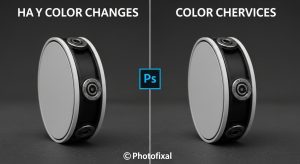
If your work depends on visual accuracy — e-commerce, real estate, portfolio work — colors need professional correction. Our color change service exists for exactly that.


Practical Tips: 10 Ways to Look More Like Yourself on Camera

man reflecting in front of a mirror in soft natural light
  1. Move the camera at least 4 feet away from your face.
  2. Prefer the rear camera, especially the 2x telephoto crop.
  3. Raise the camera to eye level or slightly above.
  4. Shoot in soft, front-facing light — never from below.
  5. Turn beauty mode and skin smoothing OFF in camera settings.
  6. Adjust iPhone Mirror Front Camera to match your intent (see the guide above).
  7. Wear something you would wear in person — camera color rendering shifts with fabric.
  8. Relax your face for one breath before the shutter fires.
  9. Take three photos, not one — the first is always a warm-up.
  10. Edit lightly. Fix exposure, keep texture. Delegate heavy lifts to a real retoucher.

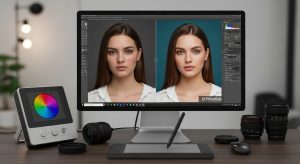
For anyone learning to edit their own photos, our how to master Photoshop tools guide is a solid starting point.


Extending the Distance: Selfie Sticks, Tripods, and Timers

Person using a selfie stick to extend camera distance

If you insist on shooting yourself, at least give the camera room to work.

  • A basic selfie stick buys you an extra 1–2 feet, cutting the worst nose distortion in half.
  • A tripod plus phone remote unlocks the entire back camera at 4–6 feet.
  • A 10-second self-timer removes the temptation to hold the phone close.
  • A wireless shutter button paired to your phone lets you shoot un-mirrored rear-camera portraits from anywhere in the room.

Action shooters chasing accuracy in motion can also check our list of the best cameras for action and sports photography in 2026 — the same optical principles apply.


Bonus: When the Front Camera Is Actually the Better Choice

The rear camera wins on accuracy, but the front camera wins on convenience — and sometimes convenience is exactly what the moment calls for.

  • Quick verification selfies (banking apps, ID checks)
  • Video calls where framing yourself matters more than sensor size
  • Vlogging and creator content where you need to see yourself while recording
  • Social media stories where casual “authentic” energy beats studio polish
  • Group selfies at arm’s length where the wider field of view actually helps

The takeaway: pick your camera based on purpose. Accuracy matters for portraits and verification. Familiarity and speed matter for daily communication.

🛍️ Selling apparel online? Ditch the awkward mannequin problem with our ghost mannequin service — clean, 3D-effect product shots buyers actually trust.


Frequently Asked Questions

1. Is the front camera or back camera more accurate to real life?

The back camera captures a more optically accurate image. It uses a larger sensor, a sharper lens, a longer effective focal length, and saves the file un-mirrored. The front camera only feels more accurate because it mirrors your preview to match your daily reflection (Rutgers University).

2. Why do I look better in the mirror than in photos?

Two reasons. First, the mirror flips your face left-to-right, and the mere-exposure effect makes you prefer that flipped version. Second, most photos are shot with a wide lens close to your face, which introduces perspective distortion the mirror never shows.

3. Why do I look worse in the back camera?

You do not look worse — you look unfamiliar. The back camera shows the un-mirrored version of your face at higher fidelity, with no default skin-smoothing filters. Your friends already know this version; only you are meeting it for the first time.

4. Does the front camera really distort my face?

Yes — but not because of the lens alone. The distortion comes from holding the phone close to your face. At 12 inches, the nasal base can appear roughly 30% wider than at 5 feet. Move the camera farther away and the distortion disappears.

5. How do I turn off front-camera mirroring?

  • iPhone (iOS 14+): Settings → Camera → toggle Mirror Front Camera off (default).
  • Samsung Galaxy: Camera app → gear icon → Save selfies as previewed off.
  • Google Pixel: Camera app → down arrow → Settings → Mirror front camera off.
  • Most Android phones: Camera → Settings → Save mirrored selfie or Front camera mirror.

6. Is a mirror or a phone camera more accurate?

A mirror is geometrically faithful because it captures your face at true visual distance with no lens distortion — but it is left-right flipped. A rear-camera photo taken from 5 feet away is the closest single view to how other people actually see you.

7. Why do I look different in every photo?

Because every photo mixes a different combination of distance, focal length, angle, lighting, expression, and computational processing. Small changes in any one variable produce a visibly different face on the sensor.

8. Can editing make a selfie look accurate?

Careful editing can undo some distortion — subtle liquify to correct nose exaggeration, natural skin retouching, and eye brightening. Aggressive one-tap filters do the opposite, pushing images further from reality. If accurate-looking edits matter, professional retouching is safer than automated AI beautifiers.


Final Thoughts

The debate over front camera vs back camera accuracy has a clean, science-backed answer: the back camera wins on optics, but the front camera wins on familiarity. Neither shows the “real you,” because there is no single visual version of you — there is only a spectrum of views shaped by distance, lens, light, and psychology.

The most useful move is to stop hunting for the one perfect angle and start understanding the variables. Once you know how distance amplifies your nose, how mirroring reassures your brain, and how software silently retouches every shot, you can pick the tool that fits the moment — the rear camera for accuracy, the front camera for speed, and professional retouching when a photo needs to look like the best real-life version of you.

🎯 Ready to give your photos a polished, professional finish without losing authenticity? Explore Photofixal’s full editing services and let our team make every shot look like the best real-life version of you.